ERP Implementation Cost: Pricing & Budget Guide
Understand the key factors driving ERP implementation costs, uncover hidden expenses, build a realistic budget, and make informed investment decisions while avoiding costly financial surprises.


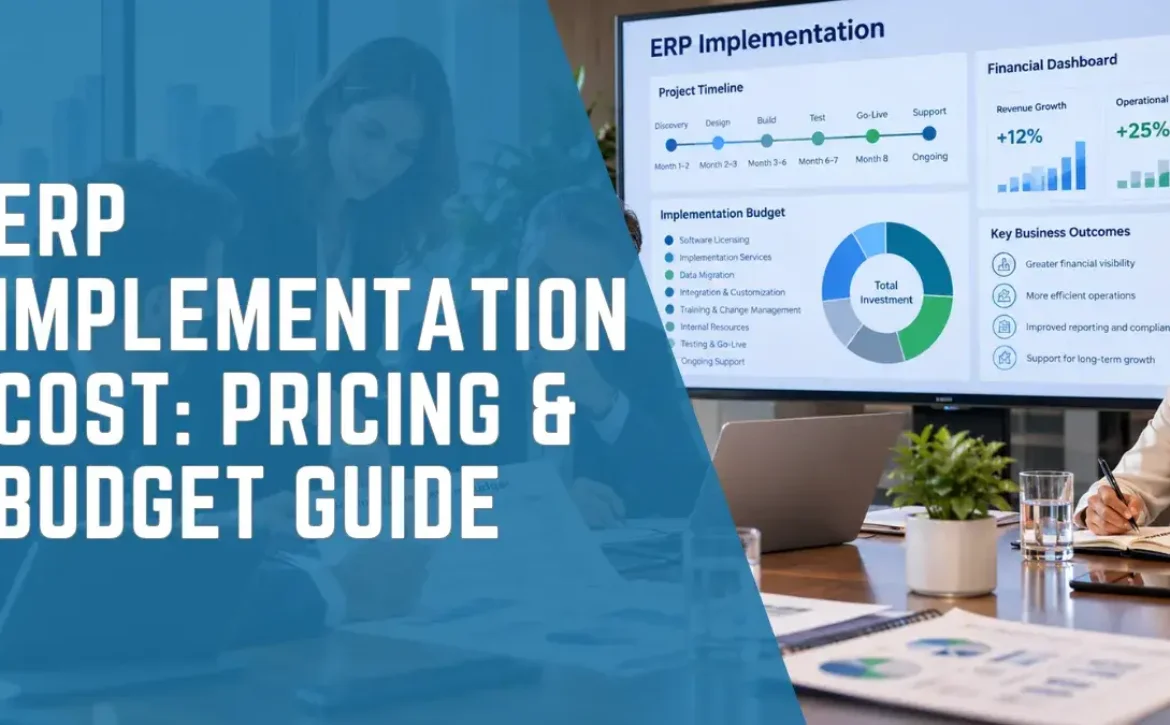
Understand the key factors driving ERP implementation costs, uncover hidden expenses, build a realistic budget, and make informed investment decisions while avoiding costly financial surprises.
Discover seven essential steps for building a successful ERP implementation strategy, reducing project risks, improving user adoption, aligning business processes, and maximizing your technology investment.
Discover how expert ERP consulting, strategic implementation, data migration, and ongoing support help businesses reduce risk and achieve long-term results.
 Should you bring in an enterprise resource planning consultant to your project? As you explore the myriad options for a new ERP system, the task can seem overwhelming. Should you go with general ERP or a specific system for food manufacturing, custom manufacturing, or other industries?
Although asking a current staff member to assist with an ERP selection may seem like a good idea, they may not have the time or information to make a smart choice. Enterprise resource planning consultants know their systems inside and out and can bring many benefits to the project.
An ERP consultant can be especially helpful if you’re shopping around for a replacement system. By explaining to the consultant what you like and dislike about the current system, they can use their industry knowledge to steer you towards software that’s a better fit for your needs.
We’re of the belief that you should bring an enterprise resource planning consultant into a project as early as possible, but don’t just take our word for it—listen and reflect on these pros and cons, too. Then you can make your own mind up about hiring and onboarding an ERP consultant.
If it’s been a while since you shopped for ERP software, the newer choices on the marketplace may seem overwhelming. Cloud versus on site? Integrated suites or stand along suites?
Reviewing product literature, participating in demos, and calling references takes time. Unless you plan to hire someone just to run and manage your company’s ERP system, you’re going to have to pull an employee away from his or her regular duties to manage the process of finding, reviewing, and onboarding a new ERP system.
ERP consultants can help you identify current challenges and needs within your company, prioritize them, and define project scope, size, and parameters. They can assess other systems that may need to communicate with the ERP system and how best to accomplish this integration. An ERP consultant’s only job is to find the right software for your company, so they have the time, knowledge, resources and skills to complete the project successfully.
An outside consultant can also help your team through the changeover process from the current ERP system to the new system. Even if everyone is looking forward to the new system, there’s always a learning curve. Having someone from outside the company to lead training, answer questions, and help guide everyone through the new system is a big help.
There’s another wrinkle that an enterprise resource planning consultant can help with and that’s legacy systems. Sometimes, employees become emotionally invested in a legacy system even if it’s no longer doing what they need it to do. Others become the “gurus” of the old system and feel a sense of pride in their ability to get things done with it when others can’t.
Having an external consultant to evaluate and assess the situation can help you mitigate the stress of switching these types of employees over from the legacy system to the newer system. Consultants who understand this mindset can guide, mentor, and cheerlead everyone through the onboarding process, making the transition much smoother for all.
Not all problems call for brand-new solutions. In some cases, an ERP system could continue to provide a useful service to a company if everyone just understood how to use it better.
If that’s the case, your ERP consultant can be of enormous benefit. Once the consultant has assessed the situation, they can review the current software and see if it’s a match for your needs or if something different really is required. It may be a case of new training for staff or offering additional training.
Sometimes, high turnover rates can make the software seem like the problem when it’s really the amount of knowledge, experience, and training the newcomers receive. In that case, an ERP consultant can help problem solve by ensuring adequate training is included so that everyone reaps the benefits of the existing system.
Whether or not you need a new ERP system, an enterprise resource planning consultant can help you maximize the value of your existing system.
IWI Consulting Group helps Canadian businesses and non-profits choose and adapt the best enterprise resource planning (ERP) software for their needs. Small to mid-sized companies will find the help and resources they need to choose the right software at the right value. For more information, visit IWI Consulting Group or call 1-866-916-3851.
Sage EM (formerly known as Sage X3) can help you overcome many of the challenges you face using outmoded legacy systems. Sure, legacy systems are as comfortable and familiar as a pair of broken-in sneakers, but staying comfortable comes with risks. The risk of lost data, lost productivity, and worst—lost customers and profits. Instead of staying with your legacy system, moving to a new enterprise resource planning system, such as Sage X3, can boost your business into new areas of profitability and efficiency.
One of the big challenges facing many companies is helping their employees understand the benefits of embracing a new system. Employees may be used to using an older legacy system. They don’t see the costs of continually updating and fixing an older system, nor do they see the areas ripe for improvement.
From an employee’s perspective, a legacy system may be just fine. Yet, you know that Sage X3 provides better insights, faster reports, and real-time data, all things that your team has said they want or need in an enterprises resource planning system.
To overcome resistance to change and what we’ve dubbed “team inertia,” it’s important to emphasize the benefits to your employees when you’re pitching them on embracing the new Sage X3 system. People respond best to information on what’s in it for them—what will help them do their jobs faster and better. Emphasizing the benefits to each department of using Sage X3 is what will help move teams out of inertia and into action.
Another way to overcome employee inertia is to make people part of the solution. Invite selected team members into the group. Teams sometimes invest a great deal of time and energy into making existing systems work, and it can be hard to break free from the mindset that, because they’ve invested so much in the current system, the company should keep it. They don’t understand the urgent need to replace an existing system with something better.
It’s important to express your appreciation to those who have kept the old system going. People need to understand that just because Sage X3 is replacing the existing system does not mean their help is no longer needed. On the contrary—the legacy system experts can now become the Sage X3 experts and help with the new ERP system.
When you include team members in the evaluation stages, you’re exposing them to the benefits of a new system early on. They’ll see firsthand during these meetings with your potential ERP system vendor just how much better a new system will be.
To assist with the transition to Sage X3, be sure to schedule ample opportunity for training in the new system. You can schedule general group training, as well as specific training by department to help people learn more about functions in Sage X3 such as invoicing or CRM.
Another great training step is to identify so-called “super users” to become the go-to people in-house for questions about Sage X3. Such individuals don’t have to be people from the IT department, just employees willing to learn more about the system.
Embracing a new system starts from the top down. Set a good example by holding yourself accountable for learning the new system and using it as soon as it’s ready. This way you’ll be both an expert on it and a good example for others!
Once your employees begin using Sage X3, they’ll never want to go back to the legacy system again. That’s because Sage X3 is an enterprise resource planning system that’s made for the manufacturing industry. It contains multiple functions in one system so that everything from accounting to warehouse management is in one central location.
With Sage X3, you can monitor warehouse function; track shipments, bill your customers; and manage accounting, finance, inventory, operations and customer relationships. It’s made for manufacturers so it has intuitive navigation and workflows that match your business’ requirement.
IWI Consulting Group can also help you with migrating legacy systems into new systems such as Sage X3. Our migration services help you improve efficiency and get your new system running quickly. We can help with many legacy system migrations including QuickBooks, Intuit, and more.
Contact IWI Consulting for more information on Sage X3 and product migration support.
IWI Consulting Group helps businesses gain insights into their operations, inventory, and profitability. We provide software and support for a wide range of industries throughout Canada. For more information, please visit IWI Consulting Group or contact us today.
 Perhaps you’ve just purchased your first barcode scanner or you’ve realized how barcodes can make your business more efficient. It’s time to implement a barcode system that will help you manage inventory more easily and provide you with the business insight and information that you need to keep your warehouse humming and your customers satisfied. The following steps can be used in many industries for barcode implementation after the purchase of a new barcode scanner.
Step 1: Get a GS1 Prefix
Every barcode begins with a series of numbers known as a GS1 Prefix. This is a unique identifying number that is coded to your company and enables you to sell your products in stores and online. It can be used worldwide so that anyone scanning your products knows their origin and source. These numbers are followed by unique product identification numbers.
You can obtain a GS1 Prefix at gs1us.org.
Step 2: Decide what items will carry a barcode.
Next, you’ll need to organize and sort the items in your company that will carry a barcode. Most companies categorize their products as static or dynamic barcodes.
Static barcodes are used to consistently identify products. You’ve seen them hundreds of times on mass produced packaging ranging from milk cartons to wraps on reams of copy paper; these barcodes never change and the packaging can be printed in huge batches to use for multiple product runs.
Dynamic bar codes are typically used for a single purpose. Companies who use their barcode scanners and barcodes to track equipment such as forklifts, copies, and other machinery may choose dynamic barcodes because the use is limited to a handful of items.
You may wish to develop a list of how barcodes will be used in your company. Categorizing items by static and dynamic barcodes, product categories, and similar information will organize your inventory and make it easier for those programming and running barcodes to understand the logic undergirding the system.
Step 3: Choose your barcodes.
Each barcode must be accompanied by a specific symbol, which indicates how the items are scanned and distributed. IWI Consulting Group can help you choose your barcode system so that it works with your new software and with your company’s business needs.
Step 4: Select the size.
Barcodes can also be printed in many different sizes, so you’ll need to select the size you want for your products. The specific symbol chosen in Step 3 will also influence the size of your barcode, so make sure you complete Step 3 and seek assistance from IWI Consulting Group, if necessary, before setting the size for barcodes.
Step 5: Create the text.
Now it’s time to create, format, and proofread the text for your barcodes. The numbers below the actuals bars on a barcode are very important. If the barcode gets smudged, damaged, or is otherwise unreadable by barcodes scanners, the numbers act as a backup and can be manually typed into the system to identify your products.
You can use any size or font for the letters or numbers, but be sure they are easy to read. This isn’t a good time to use a script or calligraphy font. Instead, use a common font such as Arial or Verdana that is easy to read.
Step 6: Choose your colors.
Yes, you can print barcodes in many colors. They are easiest to read when printed in black ink on a white surface. That’s the standard for barcodes.
Step 7: Place the barcode.
Determine where on your packaging you will place the barcode. Again, you can put a barcode almost anywhere, but there are certain locations that are typical for product categories. Boxes tend to have barcodes on the bottom or on the back lower panel (left or right) so that they are easier to scan during checkout. Review products in your industry to find out what is typical or common for your product category.
Step 8: Test barcodes and barcode scanners.
Lastly, once your product is barcoded, the barcode is placed and printed, it’s time to test it. Use your barcode scanner to make sure that the code is accurate, is easily scanned, and that there are no other issues with your new barcodes.
IWI Consulting Group can help you choose barcode scanners, set up your barcode process, and help you launch a barcoding project to manage your inventory and sell more products. We offer a Barcode Scanning Inventory Module for Sage 300 that lets you manage your inventory and warehouse with confidence. To learn more about IWI’s Barcode Scanning Inventory Module for Sage 300cloud (formerly known as Sage 300), or to discuss choosing and setting up a barcode scanning project, contact us today. Call 1-866-916-3851.
Last week we discussed all the ways mobile enterprise software can help your business gain a competitive edge and reach its business goals. This week we’d like to guide you in the next step in the process. The implementation of mobile enterprise software can be a challenge for some businesses, and we want you to be informed of the challenges beforehand so you can navigate the implementation process with ease. If you’ve done your homework and decided mobile ERP is the right choice for you, the following information can help you escape the implementation process unscathed.
While the actual implementation process of mobile enterprise software is not challenging in and of itself, its implementation does brings about other challenges that your business will need to address. These challenges include:
Mobile devices bring endless gains, but they are not without their share of challenges. Enterprise software solutions contain a wealth of confidential information about a company and connecting employee-owned devices to company networks can put that data at risk. In order to adequately protect your company’s data, you will need to invest time in extensive up-front analysis and planning to ensure all parts (platforms, security and infrastructure) are working together to protect your business data.
If your company is planning to permit the use of both company-owned and employee-owned mobile devices for work purposes, you will need to create a data security and implementation plan. Involve your IT teams, auditors and other compliance personnel in the planning stage and ask for their input. They may see security and/or cost challenges that you are not seeing and work with you to create solutions to alleviate those challenges. By looking at your company’s unique technology situation and involving key decision-makers and IT personnel, you can ensure that the backend of your company is kept safe and secure.
In addition to including your staff in the process, you need to work with a knowledgeable mobile enterprise software vendor who can help you implement the solution to best fit your needs. IWI Consulting is a trusted ERP, CRM and HRMS vendor that offers mobile enterprise software solutions to help organizations improve their productivity, achieve total business efficiency, and remain competitive in today’s global marketplace. Mobile enterprise software is not just a technology trend that will be here today and gone tomorrow. It is the technology of the future, and if your business is not incorporating mobile technology into your business now, you are sure to fall behind your competitors. Y
Our small and dedicated team specializes in helping small-to-medium size Canadian businesses and non-profits select and adapt Enterprise Resource Planning (ERP), Customer Relationship Management (CRM), Human Resource Management (HRMS) and IT services. With IWI’s 15 years in business and 100 plus years of combined experience, IWI has helped hundreds of food manufacturing, distribution, and financial service companies gain efficiency, grow, and lower their operating costs.
With the unique combination of industry knowledge and diverse technology expertise, IWI provides cost-effective solutions to help clients gain a competitive edge. As a Sage business partner, servicing the Greater Toronto Area, we support evaluation and implementation of operations and finance systems to optimize technology, ensuring high return on investment with a quick and painless transition to new software.