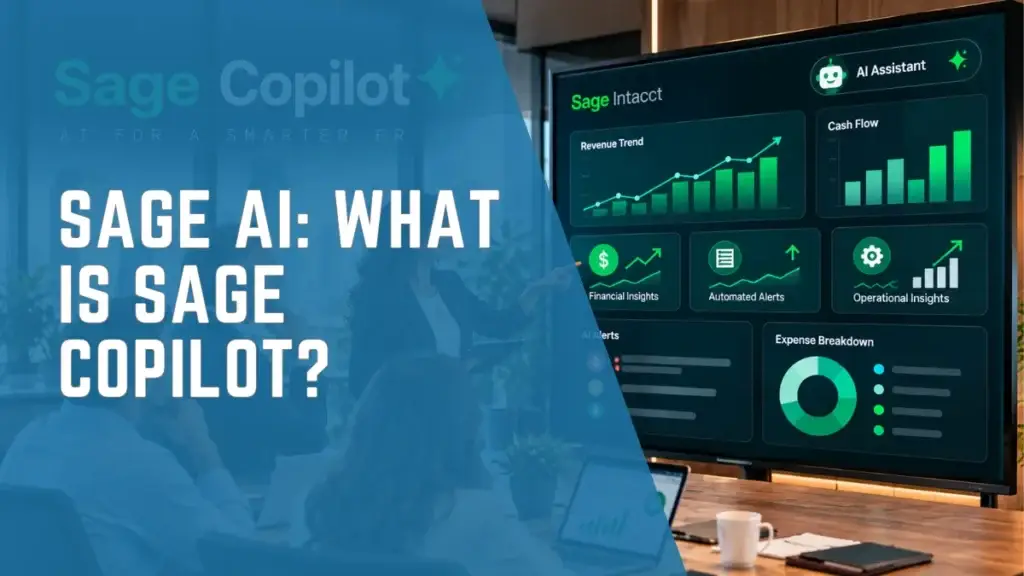
Sage Copilot represents an important shift in how finance teams interact with ERP and financial management software. Instead of relying entirely on traditional reports, spreadsheets, and manual workflows, organizations can increasingly use artificial intelligence to access financial insights, identify anomalies, and streamline routine processes.
For CFOs, Controllers, Finance Directors, and IT Directors, this shift goes beyond introducing another AI tool. It reflects a broader evolution toward intelligent ERP systems that help organizations improve financial visibility, strengthen oversight, and make more informed business decisions.
Powered by Sage AI, Sage Copilot is an AI-powered assistant embedded within supported Sage products. In Sage Intacct, it works alongside specialized AI capabilities supporting month-end close, financial assurance, accounts payable automation, variance analysis, and financial intelligence. Sage X3 also offers AI-powered capabilities designed to improve visibility across sales, finance, and operational workflows.
However, adopting AI involves more than enabling new software features. Organizations must consider how these technologies fit into their existing ERP environment, financial processes, data quality, internal controls, and long-term business objectives.
This guide explores what Sage Copilot is, how it works, its key features and benefits, and how it supports Sage Intacct and Sage X3. It also outlines the important considerations for organizations preparing to adopt AI-powered ERP solutions.
What Is Sage Copilot?
Sage Copilot is an AI-powered business assistant embedded within supported Sage software solutions. It uses generative AI and contextual business information to help users complete tasks, investigate financial questions, and access insights within their existing workflows.
Unlike general-purpose AI chatbots, Sage Copilot is designed for business environments, with capabilities focused on financial management, accounting, and operational processes.
Depending on the Sage product and enabled features, Sage Copilot can help users:
- Track financial close activities and outstanding tasks.
- Identify financial trends and budget variances.
- Investigate discrepancies between financial records.
- Access relevant business information using natural-language questions.
- Receive contextual insights that support operational and financial decisions.
For example, instead of manually comparing reports to identify an unexpected expense increase, a finance professional may be able to use AI-assisted variance analysis to identify an issue requiring investigation.
Sage Copilot is not intended to replace accountants or financial decision-makers. Its purpose is to support their work by making relevant information easier to access and routine processes more manageable
Sage AI vs. Sage Copilot: What's the Difference?
Although the terms are related, Sage AI and Sage Copilot are not interchangeable.
Sage AI: The Underlying Technology
Sage AI refers to the broader artificial intelligence capabilities used across Sage’s software portfolio.
These capabilities include machine learning, generative AI, intelligent automation, and specialized AI agents designed to support particular business functions.
For example, Sage AI can support transaction anomaly detection, invoice processing, financial analysis, and workflow automation.
Sage Copilot: The User-Facing Assistant
Sage Copilot makes supported AI-powered capabilities accessible through an assistant embedded in Sage applications.
Depending on the product, users can interact with relevant business information, review AI-generated insights, and receive guidance within their existing workflows.
Sage AI Agents: Specialized Capabilities
Sage also offers specialized AI agents designed to assist with specific financial and operational responsibilities.
Examples include the Finance Intelligence Agent, Close Agent, AP Agent, and Assurance Agent.
These agents can work within product workflows or provide capabilities accessed through Sage Copilot.
The distinction is important: not every Sage AI feature is exclusively a Sage Copilot feature, and the availability of individual agents depends on the Sage product, subscription, and rollout stage
Key Sage Copilot and Sage AI Features for Finance Teams
Sage Copilot and Sage’s connected AI capabilities address several areas where finance teams frequently experience manual work, reporting delays, and complex financial processes.
1. Financial Close Management
The month-end close often involves reconciling accounts, reviewing transactions, completing adjustments, and coordinating activities across finance teams.
Sage Copilot’s close assistance capabilities help users track progress, identify outstanding activities, and improve visibility across financial close workflows.
In Sage Intacct, the Close Agent and Close Analytics capabilities provide additional support for monitoring close tasks, identifying bottlenecks, and understanding close performance.
For Controllers managing multiple entities or departments, clearer visibility can help identify delays before they affect reporting deadlines.
The business value is not simply a faster close. It is a more organized and consistent process with greater accountability.
2. Financial Variance Analysis
Finance leaders need to understand why actual financial results differ from budgets, forecasts, or previous reporting periods.
Sage Copilot can help surface financial trends and variances in supported Sage Intacct environments.
This may help finance teams identify:
- Departments exceeding planned budgets.
- Unexpected changes in operating expenses.
- Significant differences between reporting periods.
- Financial activities requiring additional review.
Instead of relying entirely on periodic manual comparisons, finance teams can investigate important differences more proactively.
These insights still require financial interpretation. An unexpected variance may reflect a legitimate business decision, timing difference, or accounting adjustment rather than an error.
3. AI-Assisted Financial Analysis
Finding answers to business questions can require several reports, spreadsheets, and conversations between departments.
Sage Intacct’s Finance Intelligence Agent is designed to help finance professionals ask financial questions using natural language and receive relevant analysis and recommendations.
For example, a finance leader may want to investigate which departments experienced the largest increase in expenses during a reporting period.
Where the Finance Intelligence Agent is enabled and supports the request, it can help users retrieve and analyze the relevant financial information.
This supports a shift from manually gathering information toward spending more time understanding performance and recommending business actions.
The Finance Intelligence Agent has been introduced through phased availability, so organizations should confirm whether it is supported in their specific environment.
4. Accounts Payable Automation
Accounts payable teams often handle high volumes of invoices, approvals, and supplier transactions.
Sage Intacct’s AI-powered AP Automation capabilities can assist with invoice processing, document capture, matching, and the identification of discrepancies.
In May 2026, Sage announced the general availability of AI-assisted three-way matching, helping users compare invoices against purchase orders and receipts.
Sage introduced additional financial controls in August 2026, including Anomaly Detection for AP Automation.
This capability can flag invoices received from unrecognized vendor email addresses, allowing administrators to review potentially suspicious senders before payment.
For finance teams, this provides an additional layer of oversight within an existing payment process.
It does not eliminate the need for established approval controls, vendor verification, or human review.
5. Transaction Monitoring and Anomaly Detection
Financial accuracy depends on identifying unusual transactions and reviewing potential errors before they affect reporting.
Sage’s Assurance Agent and related anomaly detection capabilities help highlight transactions that may require additional attention.
These tools can support accounting teams by identifying irregular patterns that might otherwise be difficult to recognize during routine reviews.
However, AI-generated alerts should be treated as indications for investigation rather than definitive conclusions.
Accounting professionals remain responsible for validating transactions and applying the appropriate financial judgment.
Practical Example: How AI Can Support a Controller
Consider a Controller responsible for monthly financial reporting across several departments.
During a reporting period, operating expenses increase unexpectedly in one department. The Controller needs to understand the cause before presenting financial results to leadership.
Without AI-assisted tools, this investigation might require retrieving financial statements, comparing departmental reports, exporting transactions, and manually identifying possible explanations.
With relevant Sage AI capabilities enabled, the process could look different.
Step 1: Identify the variance. AI-assisted financial analysis highlights an unusual increase in departmental expenses.
Step 2: Investigate the underlying activity. The Controller reviews the associated accounts and transactions using available financial reporting tools. Where supported, natural-language analysis can help retrieve relevant information.
Step 3: Validate the findings. The accounting team examines the transactions, confirms the reason for the increase, and determines whether corrections or additional explanations are needed.
Step 4: Report the business impact. The Controller provides leadership with a clearer explanation of the variance and its implications.
This is an illustrative scenario, rather than a guaranteed end-to-end workflow in every Sage environment.
It demonstrates the broader opportunity: AI can assist with identifying and investigating financial issues, while finance professionals remain responsible for interpreting findings and determining the appropriate response.
Sage Copilot for Sage Intacct and Sage X3
Sage Intacct is a cloud-based financial management solution designed to support organizations with complex accounting, reporting, and multi-entity requirements.
Sage Copilot and related Sage AI capabilities are focused on areas such as:
- Financial close monitoring and reconciliation.
- Budget variance analysis.
- Accounts payable processing and controls.
- Transaction anomaly detection.
- AI-assisted financial reporting and analysis.
These capabilities are particularly relevant to CFOs, Controllers, and Finance Directors looking to improve financial visibility and reduce manual processes.
For organizations evaluating financial management software, AI readiness should be considered alongside reporting flexibility, system integration, security, and business requirements.
Sage Copilot for Sage X3
Sage X3 supports organizations with complex financial and operational requirements, particularly in manufacturing, distribution, and other product-centric industries.
Sage Copilot for Sage X3 focuses on contextual business insights and operational visibility.
In February 2026, Sage announced additional AI-powered capabilities for Sage X3, including the Sales Intelligence Agent.
This agent can help users identify business risks such as:
- Overdue customer orders.
- Delayed shipments.
- Declining customer demand.
- Sales-related activities requiring attention.
For manufacturers and distributors, having this information within everyday business workflows can help teams investigate potential issues earlier and coordinate their responses.
While Sage Intacct emphasizes financial management, Sage X3 connects financial information with broader operational processes.
Organizations should verify the exact features supported in their Sage edition, region, and release before making implementation or purchasing decisions.
Why Sage Copilot Matters for CFOs and Finance Leaders
The business case for AI should not depend solely on how many activities it can automate.
For finance leaders, the more important question is whether AI can improve the quality, timeliness, and reliability of financial processes.
Better Financial Visibility
AI-assisted reporting and analysis can help finance teams identify important changes in business performance without relying entirely on manual data gathering.
More Efficient Financial Workflows
Automation can reduce effort spent on recurring activities such as invoice handling, reconciliation support, and close monitoring.
Stronger Financial Oversight
Anomaly detection and proactive notifications can help teams focus attention on transactions and processes that warrant investigation.
More Time for Strategic Finance
Reducing routine administrative work can create opportunities for finance professionals to focus on forecasting, performance analysis, and supporting management decisions.
However, these benefits depend on the organization’s underlying data, financial processes, and ability to adopt new technology effectively.
What Should Organizations Consider Before Adopting Sage Copilot?
AI adoption should be approached as part of a broader financial management and ERP strategy.
Before enabling new AI capabilities, organizations should evaluate four priorities.
1. Financial Data Quality
AI-assisted analysis depends on accurate, accessible, and consistently structured financial information.
Organizations should review their accounting data, reporting structures, and existing integrations before relying on AI-generated insights.
2. Security, Governance, and Human Oversight
AI recommendations must be evaluated within established financial controls.
Organizations should understand how permissions, approval workflows, data access, and audit trails operate within their Sage environment.
This concern is increasingly important. In research published by Sage in July 2026, 71% of surveyed finance leaders indicated that they would reject an AI system with 99% accuracy if it could not explain its outputs.
For CFOs, transparency and accountability remain essential requirements.
3. Product Capabilities and Availability
Not all Sage products offer identical AI functionality.
Some capabilities are generally available, while others may be introduced through early-adopter programs or phased regional releases.
Organizations should confirm product eligibility, licensing requirements, and feature availability before building implementation plans around a particular AI capability.
4. ERP Readiness and Process Improvement
AI is most useful when it supports clearly defined business objectives.
For example, an organization struggling with lengthy month-end close cycles should first identify the underlying causes, such as inconsistent processes, manual reconciliations, or disconnected systems.
The next step is to evaluate which combination of ERP functionality, workflow improvements, and AI assistance addresses those challenges.
Without this foundation, adding AI may introduce another layer of technology without resolving the underlying operational issues.
Frequently Asked Questions About Sage Copilot
Is Copilot the same as Sage AI?
No. Sage AI refers to the broader artificial intelligence technology used across Sage products. Sage Copilot is an AI-powered assistant that makes supported capabilities accessible within business applications.
What can Sage Copilot do?
Depending on the product and enabled capabilities, Sage Copilot can help users track financial close activities, identify variances, investigate business information, and access contextual insights.
Is Sage Copilot available in Sage Intacct?
Yes. Sage Copilot capabilities are available within supported Sage Intacct environments. Some related AI agents and features have separate licensing, regional availability, or rollout requirements.
Does Sage Copilot work with Sage X3?
Yes. Sage Copilot supports natural-language interaction within supported Sage X3 environments. Sage X3 also offers related AI capabilities, including sales intelligence, to help organizations improve operational visibility and identify potential business risks.
Can Sage Copilot replace accountants?
No. Sage Copilot is designed to assist accounting and finance professionals. Financial judgment, validation, approvals, compliance responsibilities, and strategic decisions still require human oversight.
Is Sage Copilot included with every Sage subscription?
Not necessarily. Access varies by Sage product, subscription, region, and feature. Organizations should confirm licensing and availability directly with their Sage provider.
Final Thoughts: AI Should Support Better Financial Decisions
Sage Copilot represents a significant step in bringing AI-assisted capabilities into everyday financial and business workflows.
Through Sage Copilot and its connected AI agents, organizations can explore new ways to streamline accounting activities, identify potential financial issues, and improve access to relevant business information.
For CFOs and finance leaders, however, adopting AI should not be the starting point.
The priority should be understanding where existing financial processes create delays, limit visibility, or require excessive manual effort.
With accurate data, appropriate financial controls, and the right ERP environment, AI can become a practical tool for improving financial management.
The goal is not simply to introduce more technology. It is to help finance teams operate with greater clarity, efficiency, and control.
Explore AI-Ready ERP Solutions with IWI Consulting Group
At IWI Consulting Group, we help organizations evaluate, implement, and optimize ERP solutions that align with their financial and operational requirements.
Whether your business is exploring Sage Intacct, Sage X3, or opportunities to modernize an existing ERP environment, the right approach begins with understanding your current processes, reporting challenges, and long-term business objectives.
Our team can help you assess your ERP readiness, identify opportunities for improvement, and determine which capabilities are relevant to your organization.
Talk to an IWI ERP Specialist to discuss your financial management priorities and ERP modernization options.