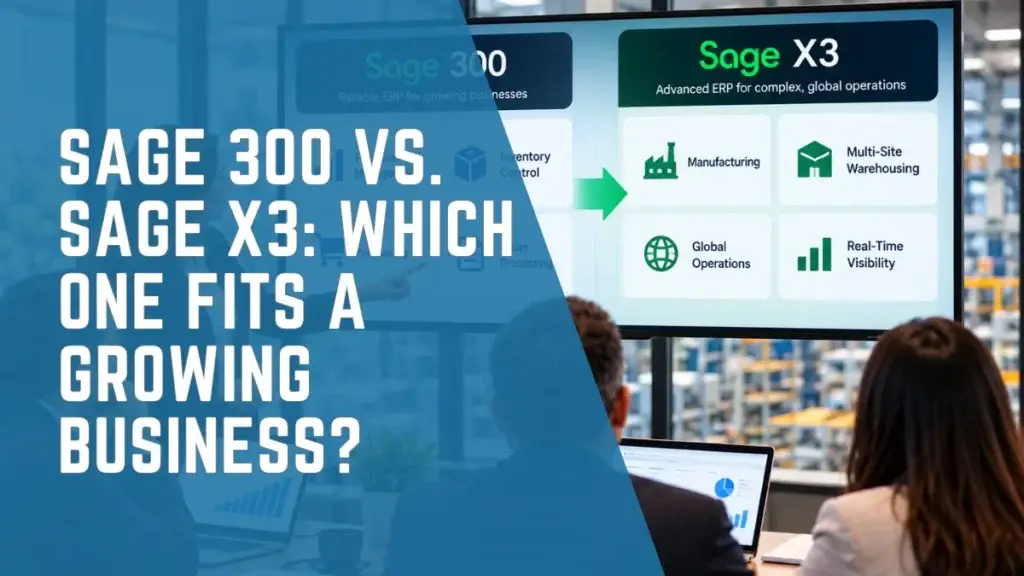
Growing businesses evaluating Sage 300 and Sage X3 face an important ERP decision: which platform can best support their financial requirements, operational processes, and future growth?
Sage 300 provides established capabilities for financial management, inventory control, purchasing, and distribution. Sage X3 offers broader integrated functionality for organizations managing complex manufacturing, production planning, supply chains, and multi-site operations.
The question is not simply which ERP offers more features. It is which platform best supports your operating model, business requirements, and long-term growth strategy.
This Sage 300 vs Sage X3 comparison examines financial management, manufacturing, distribution, scalability, costs, and migration considerations to help CFOs, finance leaders, and operations executives make an informed ERP decision.
Sage 300 vs Sage X3: Key Differences at a Glance
Sage 300 and Sage X3 share several business management capabilities, but their strengths become clearer when evaluated against operational requirements.
Swipe left or right to view the full table →
| Comparison Area | Sage 300 | Sage X3 |
|---|---|---|
| Primary focus | Financial management, inventory, purchasing, order processing, and distribution | Integrated finance, manufacturing, distribution, and supply chain management |
| Business fit | Organizations with established financial and operational processes | Organizations with complex production, supply chain, or multinational requirements |
| Financial management | General ledger, AP, AR, bank reconciliation, multi-company and multi-currency functions | Financial management connected with complex operational processes, including production and supply chain |
| Inventory management | Multi-location inventory, costing, serial and lot tracking | Inventory integrated with production, quality processes, purchasing, and traceability |
| Distribution | Purchasing, sales orders, inventory control, and related workflows | Broader supply chain coordination across complex distribution operations |
| Manufacturing | May be supported through connected applications and specialized solutions | Integrated production management, BOMs, planning, shop-floor control, and quality capabilities |
| Process manufacturing | Typically requires specialized complementary capabilities | Better suited to complex batch and process manufacturing |
| Multi-company operations | Supported | Supports complex multi-company and multi-site requirements |
| International operations | Multi-currency and cross-border financial functionality | Broader multinational financial and operational management |
| Implementation | Scope depends on modules, integrations, and processes | Often more extensive for complex, multi-functional deployments |
| Typical investment | Often more economical for comparatively straightforward requirements | May require greater investment because of implementation scope and operational complexity |
Actual capabilities, licensing, configuration, and implementation requirements depend on the selected modules and organizational needs.
The fundamental difference is operational depth.
Sage 300 can remain effective for organizations where financial management, purchasing, inventory, and distribution are the primary ERP requirements.
Sage X3 becomes more relevant when businesses need deeper integration across manufacturing, quality control, inventory, supply chain operations, and financial management.
However, broader functionality does not automatically make Sage X3 the better investment. The decision should be based on operational complexity, implementation requirements, total cost of ownership, and expected business value.
What Is Sage 300?
Sage X3 is an ERP platform designed for organizations requiring integrated management of financial operations, manufacturing, distribution, inventory, and supply chains.
Its capabilities extend beyond core accounting and order processing to support more complex operating environments.
Depending on the selected modules and configuration, Sage X3 provides capabilities for:
Financial management and reporting
Purchasing and supplier management
Inventory and warehouse operations
Sales and distribution
Production planning and scheduling
Bills of materials
Manufacturing work orders
Shop-floor operations
Quality management
Lot and batch traceability
Multi-site and multi-company management
International financial and operational requirements
These capabilities are particularly relevant to manufacturers and distributors managing multiple departments, facilities, production processes, or interconnected supply chains.
For example, a food manufacturer may need to coordinate raw material purchasing, recipe management, production batches, quality inspection, inventory, and financial reporting.
When these processes operate through separate applications, organizations may experience reporting delays, duplicate data entry, and limited operational visibility.
Sage X3 can provide a more integrated environment for coordinating these activities, depending on the organization’s implementation requirements.
This makes Sage X3 particularly relevant when operational complexity becomes a significant factor in ERP planning.
Explore Sage X3 ERP solutions to understand how integrated financial and operational management can support growing businesses.
What Is Sage X3?
Sage X3 is an ERP platform designed for organizations that need integrated management of finance, manufacturing, distribution, inventory, and supply chain operations.
Its capabilities extend beyond core financial and order processing functions to support more complex operating environments.
Sage X3 includes capabilities for:
- Financial management and reporting
- Purchasing and supplier management
- Inventory and warehouse processes
- Sales and distribution
- Production planning
- Bills of materials
- Manufacturing work orders
- Shop-floor management
- Quality control
- Lot and batch traceability
- Multi-site and multi-company operations
- International financial and operational requirements
These capabilities are particularly relevant to manufacturers and distributors where daily operations involve multiple departments, facilities, production processes, or supply chains.
For instance, a food manufacturer may need to connect raw material purchasing, recipe management, production, batch tracking, quality inspection, inventory, and financial reporting.
Managing these processes through disconnected systems can create delays, reconciliation work, and limited visibility.
Sage X3 provides an integrated environment for coordinating many of these activities, depending on the selected modules and configuration.
This makes the platform especially relevant when operational complexity has become a significant factor in the company’s ERP strategy.
Sage 300 vs Sage X3: Financial Management
Financial management is a central capability of both platforms.
Sage 300 supports essential accounting processes, including general ledger management, accounts payable, accounts receivable, bank reconciliation, multi-currency transactions, and financial reporting.
It also supports multi-company accounting and intercompany processes, allowing organizations to manage financial activity across multiple business entities.
For businesses primarily focused on financial accuracy, transaction processing, inventory accounting, and established reporting requirements, Sage 300 may provide sufficient functionality.
Where Sage X3 Adds Value
Sage X3 provides financial management capabilities with broader integration into manufacturing and supply chain operations.
For example, production activity can be connected with inventory movements, material consumption, manufacturing costs, and related financial information.
This integration may help finance leaders understand how operational decisions influence product profitability, inventory valuation, and overall financial performance.
A Practical CFO Scenario
Consider a manufacturer using Sage 300 for accounting and inventory while relying on separate applications for production scheduling and quality control.
The finance team may need to consolidate information from several systems before evaluating production costs and manufacturing profitability.
If reporting and integration improvements can address these challenges, Sage 300 may remain an appropriate solution.
However, when the organization requires more extensive integration between production and financial processes, Sage X3 may warrant closer evaluation.
The key question is not which platform can generate financial reports, but whether the ERP environment provides the connected information finance leaders need to manage the business effectively.
Inventory and Distribution: Which Platform Fits?
Inventory and distribution are important capabilities of Sage 300.
The platform supports purchasing, sales order processing, inventory records, multiple locations, serial and lot tracking, and related financial activities.
For distributors with established processes, these capabilities can provide a reliable foundation for daily operations.
However, distribution requirements may become more complex as businesses expand into new markets, introduce additional products, diversify suppliers, or operate more sophisticated fulfillment processes.
Sage X3 offers broader supply chain capabilities that can connect purchasing, inventory, sales, and related operational workflows.
When Sage 300 May Be Sufficient
Sage 300 may remain a practical choice when:
- Inventory and purchasing processes are stable.
- Warehouse operations are manageable.
- Existing integrations function reliably.
- Operational reporting provides sufficient visibility.
- Business growth primarily increases transaction volume rather than process complexity.
When Sage X3 May Be Worth Evaluating
Sage X3 becomes more relevant when businesses face:
- Complex multi-site distribution operations
- International sourcing and supplier coordination
- Sophisticated inventory and warehouse requirements
- More demanding product traceability
- Increasingly interconnected supply chain processes
- Difficulty integrating purchasing, fulfillment, inventory, and financial information
Adding warehouses or increasing inventory volume does not automatically justify an ERP migration.
The more important consideration is whether the existing system architecture can continue supporting operations efficiently without excessive manual processes or costly workarounds.
Manufacturing: Where Sage X3 Offers Greater Operational Depth
Manufacturing is one of the clearest areas of differentiation between Sage 300 and Sage X3.
Sage 300 can support certain manufacturing environments through specialized connected applications, integrations, and configurations.
For organizations with limited or relatively straightforward manufacturing requirements, this approach may remain sufficient.
However, Sage X3 provides integrated manufacturing functionality designed for more complex production environments.
Depending on the implementation, these capabilities include:
- Bills of materials
- Production orders
- Production planning and scheduling
- Material requirements planning
- Shop-floor activity tracking
- Resource and capacity management
- Manufacturing cost management
- Quality control
- Lot and batch traceability
- Multi-site production processes
Why This Matters to Manufacturing Leaders
Consider a manufacturer operating multiple production lines with different materials, schedules, products, and quality requirements.
When production planning, inventory, purchasing, and financial reporting operate through disconnected systems, employees may spend considerable time updating records and reconciling information.
This can make it difficult to obtain consistent visibility into material availability, production costs, inventory status, and order fulfillment.
An integrated manufacturing ERP can help connect these processes, improve information visibility, and support more coordinated operational decisions.
For manufacturers experiencing these challenges, Sage X3 may provide a more suitable operational foundation.
However, organizations should evaluate their actual requirements and expected benefits before committing to a broader ERP implementation.
Sage X3 for Process Manufacturing
Process manufacturing introduces specialized requirements that differ from those of many traditional distribution and discrete manufacturing environments.
Businesses in food and beverage, chemicals, cosmetics, and related industries may need tighter control over formulas, production batches, quality, and traceability.
Common requirements include:
- Formula and recipe management
- Batch and lot tracking
- Shelf-life and expiration-date management
- Material traceability
- Quality inspections
- Production yield management
- Co-products and by-products
- Product recall readiness
- Manufacturing cost visibility
- Regulatory documentation
Sage X3 is particularly relevant to manufacturers with complex batch and process manufacturing requirements.
For example, a food manufacturer may need to trace raw materials from supplier receipt through production batches and finished product distribution.
This traceability supports quality management, customer requirements, and product recall readiness.
Organizations should confirm whether their required processes are supported by standard functionality, selected modules, or complementary applications.
Businesses currently using Sage 300 should also evaluate whether their existing configuration can adequately address these requirements before pursuing migration.
Multi-Company and Global Operations
Business expansion often introduces additional financial and operational complexity.
Organizations may establish subsidiaries, open new facilities, acquire businesses, introduce foreign currencies, or expand into international markets.
Sage 300 already supports multi-company accounting and multi-currency transactions, along with financial reporting capabilities that can support multi-entity requirements.
Therefore, adding another legal entity does not necessarily mean a business needs Sage X3.
The more important consideration is how financial and operational processes must work across those entities.
Sage X3 may offer additional value when organizations need to coordinate complex multinational operations, multiple production facilities, international supply chains, and related financial requirements.
When evaluating ERP suitability, finance and IT leaders should consider:
- The number and structure of legal entities
- Intercompany transaction requirements
- Financial consolidation and reporting needs
- Multi-currency operations
- Local tax and regulatory requirements
- Shared or separate operational processes
- Integration requirements across facilities
- International procurement and distribution
The objective is to assess the complexity of the organization’s operating structure rather than using the number of subsidiaries alone to determine whether migration is necessary.
Reporting and Business Visibility
As businesses expand, financial and operational reporting requirements often become more demanding.
Finance leaders may need visibility beyond traditional income statements, balance sheets, and cash flow reports.
Depending on the industry, management may also require insights into:
- Product and customer profitability
- Inventory turnover
- Production efficiency
- Manufacturing cost variances
- Supplier performance
- Order fulfillment
- Warehouse operations
- Gross margins
- Working capital
- Demand forecasting
- Entity-level financial performance
Both Sage 300 and Sage X3 support business reporting.
The distinction often lies in the operational data available within the implemented ERP environment and how effectively financial and operational information can be connected.
For organizations primarily focused on financial reporting, improvements to Sage 300 reporting, data management, or integrations may provide sufficient value.
For businesses requiring more complex manufacturing, supply chain, and financial analysis, Sage X3 may offer broader integrated capabilities.
A Question CFOs Should Ask
Before considering ERP migration, finance leaders should determine:
Are our reporting limitations caused by the ERP platform itself, or by the way our existing system and processes have been configured?
An ERP migration may not solve reporting problems caused by inconsistent data, unclear performance measures, or weak process governance.
A structured assessment can help identify the underlying issues before an organization makes a major technology investment.
Scalability: Sage 300 vs Sage X3 for Growing Businesses
Growth does not always create the same ERP requirements.
A company may double its revenue while maintaining nearly the same processes, business structure, and operating model.
Another organization may grow more slowly in revenue while introducing manufacturing facilities, international suppliers, new product categories, and additional legal entities.
The second business may face significantly greater operational complexity despite generating less revenue.
Therefore, ERP scalability should be evaluated across several dimensions.
Swipe left or right to view the full table →
| Growth Dimension | Less Complex Growth | More Complex Growth |
|---|---|---|
| Revenue | Higher transaction volume | Additional business models and operating requirements |
| Locations | More locations with similar processes | Different operational processes across facilities |
| Inventory | Greater inventory volume | Complex traceability, production, and inventory requirements |
| Manufacturing | Limited manufacturing activity | Multiple production processes or facilities |
| Supply chain | Established supplier relationships | International sourcing and complex coordination |
| Entities | Additional entities with manageable transactions | Extensive intercompany and multinational requirements |
| Reporting | Expanded financial reporting | Integrated operational and financial analysis |
| Integrations | Stable connected applications | Numerous complex or disconnected systems |
The Most Important Scalability Question
Rather than asking whether Sage 300 can support a company of a certain size, business leaders should ask:
Can our existing ERP environment support the next stage of operations without excessive manual processes, disconnected systems, or increasing technology risk?
If Sage 300 continues to meet the organization’s requirements efficiently, there may be no immediate need to replace it.
When operational requirements begin exceeding the capabilities of the existing ERP architecture, evaluating Sage X3 may be appropriate.
Sage 300 vs Sage X3 Pricing: What Should Businesses Consider?
There is no universal price that can accurately represent the total investment required for Sage 300 or Sage X3.
ERP costs depend on the organization’s requirements, the selected software components, and the scope of implementation.
Important cost factors include:
- Number and type of users
- Required modules
- Deployment model
- Implementation services
- Data migration
- System integrations
- Customization
- Reporting requirements
- Third-party applications
- Employee training
- Ongoing support
- Number of entities and locations
- Manufacturing and supply chain requirements
Sage X3 implementations may involve greater investment when broader manufacturing and operational capabilities are required.
However, comparing license costs alone can lead to an incomplete financial assessment.
Evaluate Total Cost of Ownership
Organizations should evaluate the total cost of ownership over an appropriate planning period.
This includes software licensing, implementation services, integrations, customizations, internal resources, support, and future system improvements.
For example, a lower-cost ERP environment may become expensive to operate if employees spend considerable time maintaining spreadsheets, correcting inconsistent data, or supporting disconnected applications.
Conversely, implementing extensive ERP functionality that the business does not require may introduce unnecessary cost and complexity.
Finance leaders should therefore compare total costs with expected business benefits.
The objective is to invest in the ERP environment that addresses genuine operational requirements and delivers sustainable business value.
When Should a Business Stay with Sage 300?
Moving to Sage X3 is not automatically the right decision for every growing organization.
Sage 300 may remain effective when:
- Financial management remains the primary ERP requirement.
- Inventory and distribution operations are manageable.
- Existing integrations function reliably.
- Reporting supports leadership decisions.
- Manufacturing requirements are limited or adequately supported.
- Current processes can be improved through optimization.
In these circumstances, enhancing Sage 300 through better configuration, reporting, integrations, or process improvements may deliver greater value than a full migration.
For example, a distributor experiencing reporting delays may benefit from improved reporting processes or data integrations instead of replacing its ERP platform.
Before pursuing migration, organizations should identify whether their challenges result from platform limitations, configuration issues, integration gaps, or inefficient processes.
This assessment can help preserve existing technology investments and avoid unnecessary operational disruption.
Six Signs It May Be Time to Evaluate Sage X3
Sage X3 becomes more relevant when operational requirements increasingly exceed what the existing Sage 300 environment can efficiently support.
The following signs may indicate that a broader ERP assessment is appropriate.
1. Manufacturing Has Become More Complex
The business has introduced additional production lines, more sophisticated scheduling requirements, specialized manufacturing processes, or more demanding quality controls.
2. Critical Processes Depend on Spreadsheets
Employees may rely on spreadsheets to coordinate production, reconcile inventory, calculate costs, or prepare operational reports because existing systems are not sufficiently connected.
3. Disconnected Applications Are Increasing
Separate systems may manage production, warehouse activities, quality processes, and reporting, making it difficult to maintain consistent information.
4. Supply Chain Requirements Have Expanded
The organization may now manage multiple suppliers, international procurement, complex warehouses, or more sophisticated traceability requirements.
5. Operational Reporting Is Difficult
Finance and operations leaders may struggle to obtain timely information about production costs, inventory performance, or manufacturing profitability.
6. Existing Integrations Require Extensive Maintenance
IT teams may spend significant time supporting custom interfaces and workarounds that have become difficult to maintain.
These challenges do not automatically mean Sage 300 must be replaced.
However, when several occur together and cannot be resolved economically through optimization, evaluating Sage X3 may be an appropriate next step.
Sage 300 to Sage X3 Migration: What Businesses Should Expect
A Sage 300 to Sage X3 migration is more than a software upgrade.
The platforms have different architectures and operational capabilities, so migration requires careful planning around processes, data, integrations, and users.
A successful project should begin with an understanding of the organization’s business objectives.
Step 1: Assess the Current ERP Environment
Document current workflows, reporting challenges, integrations, operational limitations, and growth requirements.
Finance, operations, IT, and relevant department leaders should participate in this assessment.
The objective is to identify which problems need to be solved and whether migration is justified.
Step 2: Define Business Requirements
Identify the functions required to support current and future operations.
Requirements may involve financial controls, production planning, inventory, traceability, reporting, security, and integrations.
Distinguish essential business needs from preferences based on existing workflows.
Step 3: Design the Future ERP Environment
Map business processes to the appropriate Sage X3 capabilities.
The solution design should address financial structure, operational workflows, master data, integrations, security, and reporting.
Organizations should avoid unnecessary customization when standard functionality or process improvements can meet their requirements.
Step 4: Prepare and Migrate Data
Data migration should include cleansing, mapping, testing, and validation.
Depending on scope, the organization may need to address:
- Customers and suppliers
- Inventory items
- Bills of materials
- Product formulas
- Charts of accounts
- Open transactions
- Inventory quantities and valuations
- Lot and serial information
- Financial balances
- Historical records
Not every historical record needs to be transferred into the new ERP. Organizations should define what must be migrated and what can remain accessible through an archive.
Step 5: Test End-to-End Processes
Testing should represent actual business activities rather than isolated system functions.
For example, a manufacturer may need to validate purchasing, material receipt, production, inventory movements, shipment, invoicing, and financial posting as one connected process.
Financial balances and operational data should be reconciled before go-live.
Step 6: Train Users and Prepare for Go-Live
ERP migration changes how employees perform daily tasks.
Training, process documentation, user acceptance testing, and change management are essential.
The project should also include a cutover plan, post-go-live support arrangements, and clearly assigned responsibilities.
A structured implementation approach can reduce migration risk and help the organization realize value from its ERP investment.
Sage 300 vs Sage X3 by Industry
Industry requirements can influence ERP suitability, although the final decision should always reflect the organization’s processes and system requirements.
Distribution
Sage 300 can be a strong choice for distributors needing purchasing, inventory, order processing, warehouse-related controls, and financial management.
Sage X3 may be more appropriate where distribution operations involve complex international supply chains, multi-site coordination, and broader operational requirements.
Manufacturing
Sage X3 is generally the stronger candidate for organizations requiring integrated production management, advanced planning, quality processes, and manufacturing traceability.
Businesses with lighter manufacturing needs may still operate effectively using Sage 300 and suitable complementary applications.
Food and Beverage
Food and beverage manufacturers often require recipe management, batch traceability, expiration control, quality management, and production costing.
These requirements make Sage X3 particularly relevant for more complex operations.
Construction
Sage 300 can remain relevant for construction-oriented organizations requiring job costing, financial management, and related operational capabilities.
The appropriate solution depends on the company’s project workflows, reporting requirements, and connected applications.
Multi-Location Organizations
Both Sage 300 and Sage X3 support multi-location business requirements.
The deciding factor is how complex the financial, inventory, manufacturing, and operational processes become across those locations.
How IWI Consulting Group Helps Businesses Make the Right ERP Decision
Choosing between Sage 300 and Sage X3 requires more than a software feature comparison.
Organizations need to understand whether their current ERP supports their business model, where operational limitations exist, and which technology strategy can deliver the most practical value.
IWI Consulting Group is a North American ERP consulting and implementation partner specializing in Sage solutions.
With more than 25 years of ERP experience and over 500 organizations supported, IWI works with finance, operations, and IT leaders to align ERP technology with business requirements.
IWI’s consulting and implementation services can help organizations evaluate whether they should:
- Continue using Sage 300
- Optimize their existing Sage 300 environment
- Improve integrations and reporting
- Address operational process limitations
- Evaluate Sage X3 against their requirements
- Prepare for a Sage 300 to Sage X3 migration
- Implement or optimize Sage ERP solutions
- Establish a longer-term ERP roadmap
The objective is not simply to recommend a platform with more functionality.
It is to identify the solution that provides the right combination of financial control, operational capability, scalability, and business value.
For some businesses, that means continuing to invest in Sage 300.
For others, Sage X3 may provide a more suitable architecture for increasingly complex operations.
An experienced ERP partner can help evaluate these options before the organization commits to a major implementation investment.
Sage 300 vs Sage X3: Making the Right Decision
There is no universal winner in the Sage 300 vs Sage X3 comparison.
Sage 300 remains a capable ERP platform for organizations that need strong financial management, purchasing, inventory control, distribution, and multi-company functionality.
Sage X3 offers broader integrated capabilities for complex manufacturing, production management, supply chain coordination, quality, and multi-site operations.
The decision should therefore be based on more than revenue, company size, or feature counts.
Finance and operations leaders should evaluate their business processes, current ERP limitations, reporting requirements, integration needs, growth plans, and total cost of ownership.
The guiding principle is straightforward: remain with Sage 300 when it continues to support the business effectively, and evaluate Sage X3 when operational complexity creates requirements that the existing environment can no longer meet efficiently.
A structured ERP assessment can help organizations make that decision with greater clarity.
Not Sure Whether to Stay with Sage 300 or Move to Sage X3?
Choosing the right ERP starts with understanding your business requirements—not simply comparing software features.
IWI Consulting Group helps organizations across Canada and the United States evaluate Sage ERP solutions, identify operational challenges, and develop practical implementation or optimization strategies.
Whether your organization wants to improve its existing Sage 300 environment or assess Sage X3 for future growth, IWI can help clarify the available options and next steps.
Talk to an IWI ERP Specialist
Contact IWI Consulting Group to discuss your current ERP environment, operational requirements, and long-term technology strategy.
Frequently Asked Questions About Sage 300 vs Sage X3
What is the main difference between Sage 300 and Sage X3?
Sage 300 focuses on financial management, purchasing, inventory, order processing, and distribution. Sage X3 offers broader integrated capabilities for complex manufacturing, production planning, supply chain management, and multinational operations. Both can support growing businesses, but their suitability depends on operational requirements.
Is Sage X3 more expensive than Sage 300?
Sage X3 may require a larger investment for complex implementations because of its broader functional scope. However, actual pricing depends on software configuration, users, modules, integrations, data migration, and implementation services. Businesses should compare total cost of ownership and expected business value rather than license pricing alone.
Can a growing business continue using Sage 300?
Yes. Business growth does not automatically require migration. If Sage 300 continues to meet financial, inventory, distribution, reporting, and operational requirements, it may remain the most practical solution. Optimization or additional integrations may also extend its value.
Is Sage X3 better for manufacturing than Sage 300?
Sage X3 is generally better suited to complex manufacturing operations because it provides integrated production management, planning, shop-floor, quality, and traceability capabilities. However, businesses with limited manufacturing requirements may be able to use Sage 300 with appropriate complementary applications.
When should a company consider migrating from Sage 300 to Sage X3?
A company should consider evaluating Sage X3 when its current ERP environment struggles to support increasing manufacturing complexity, multi-site operations, advanced traceability, complex supply chains, or integrated financial and operational reporting. Migration should follow a structured assessment of requirements, costs, and potential benefits.
Can Sage 300 data be migrated to Sage X3?
Yes. Sage 300 data can be transferred as part of a properly planned Sage X3 implementation. The migration may involve financial balances, master data, inventory, open transactions, and selected historical records. Data mapping, cleansing, testing, and reconciliation are essential to ensure information is transferred accurately.